

The Storyboard Media Group Blog
Not Your Typical PSA: How We Turned Art Into Impactful Video Content
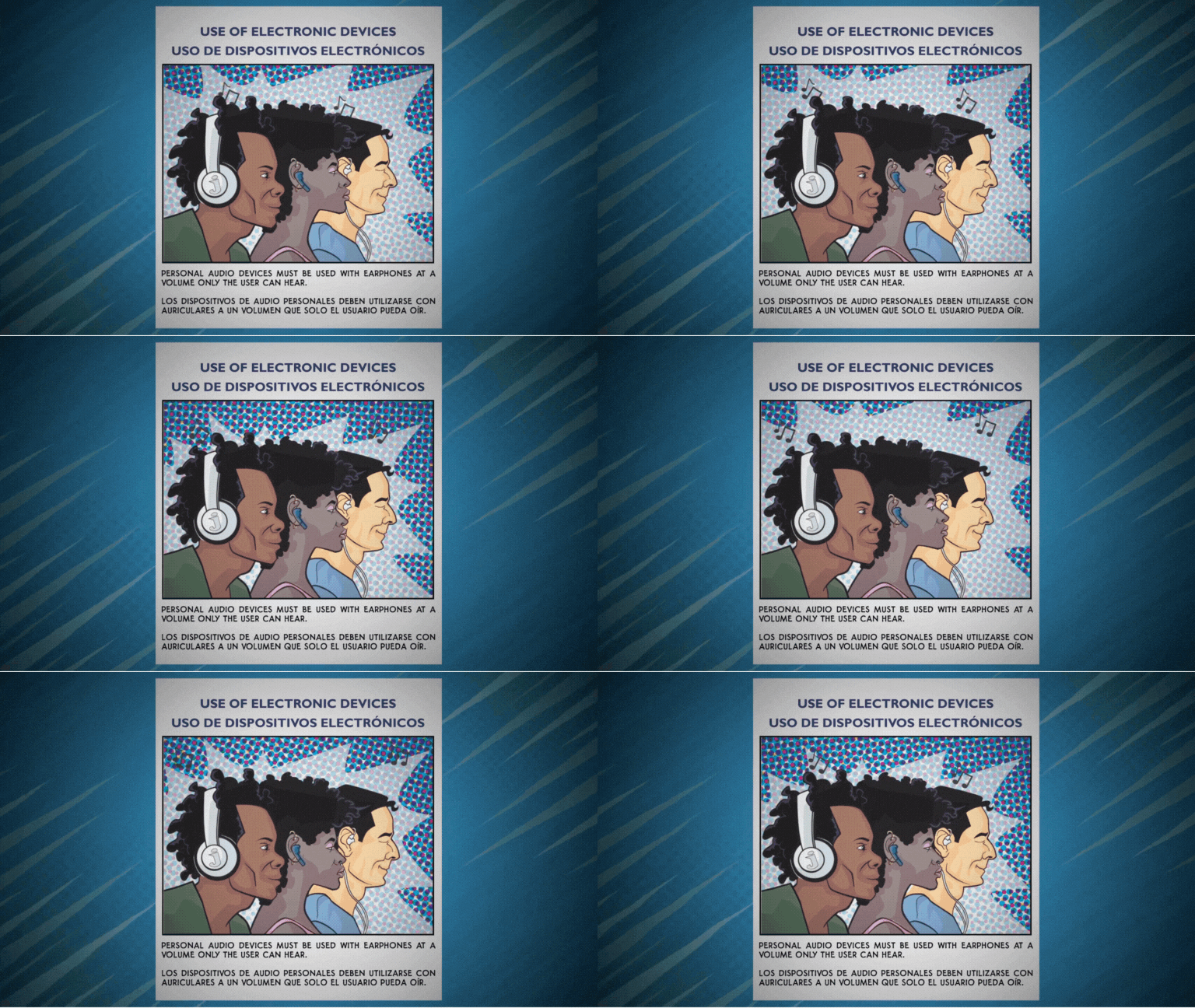
At Storyboard Media Group, we believe the best content is content that stands out — which is why we partnered with artist L Jamal Walton and RATP Dev USA to create a truly unique animated PSA for GoDurham. By transforming static comic-style artwork into dynamic motion, we helped turn a routine public message into something eye-catching and memorable. This behind-the-scenes look shows how thoughtful planning, creative animation, and bold choices can elevate brand messaging across any platform. It’s a great reminder that when it comes to content, different gets noticed.
Something Unique as an Attention-Grabber
Storyboard Media Group recently partnered with artist L Jamal Walton and the team at RATP Dev USA to create an animated Public Service Announcement for the transit organization GoDurham. We (and the client) are really pleased with how this turned out and the role it will play in educating the public that uses the GoDurham system.
We’re sharing it here because we always suggest to clients that they try something a little different whenever possible in order to have content that is uniquely theirs. And we think this video is a great example of how marketers, learning and training professionals, and public organizations can think outside the box to create something that is different - but that still holds value as a communication device. See the video below.
What Are You Looking At?
Animating artwork isn’t an easy process, but it is a process that is made possible by adhering to a plan. Here’s the process step-by-step that went into creating this content:
1. Receiving 10 panels of artwork from the artist - L Jamal delivered 10 panels of comic book style artwork to us in layered files.
2. Examining the layers in the artwork - breaking down each panel and taking a look ‘behind the curtain’ gave us an idea of what we could, and couldn’t do, with the art.
3. Storyboarding the video - We presented the client with a graphical map of how the animation would move including transitions, backgrounds, on-screen text and more.
4. Creating a voice over - We gave the client a total of 9 voice artist options to choose from. In order to do this we asked artists to create two sentence examples of their voices and deliveries by providing them a portion of the script we created. Once the client decided who they liked, we had the voiceover produced.
5. Animating the static artwork - This is where the bulk of the work really began. We needed to separate all the artwork layers, create new layers, redraw some of the artwork (always staying true to the artist’s vision), put all the layers into animation software and create motion work to make things ‘pop’ as much as possible. This was not only the most difficult portion of the project, but also the most time-consuming.
6. Adding music, branding, voiceover - This is the stage where the animation and all the supporting content comes together to make the final video. If the plan is followed, everything should just fall into place. And that’s exactly what happened.
Where Is the Client Using the Content?
Because this is a public education piece, the video is being seen on all types of screens in a bunch of different environments. These include bus stations, on the organization website and social channels, television screens on buses, and other public spaces. For the most part, the audience will be captive (waiting for a bus, sitting on a bus, etc.) and it’s important that this video goes beyond the standard ‘do’s and dont’s’ type content you might expect to see when it comes to public organizations.
This was a fun project to work on and we think it’s a great example of how and why brands can try something a little different in order to stand out.
“Storyboard Media Group was an absolute pleasure to work with. They met our tight deadline and delivered a final video that exceeded our company’s expectations. Even with last-minute changes, their team accommodated us seamlessly and without hesitation.
Their communication was outstanding, and they put us completely at ease, we knew we had chosen the right partner to bring this campaign to life. We highly, highly recommend Storyboard Media Group and look forward to working with them again on future video projects.”

The Power of How-to Product Videos
Want to really connect with your customers? How-to videos are your secret weapon! They're not just helpful guides; they build trust and show you're the expert. By highlighting the best features, benefits, and ways to use your products, you'll boost engagement, build a loyal audience, and see those conversion rates climb. Let's make your brand the go-to resource!
We all know the power of a well-done, straight-up product video. They’re great for explaining why someone needs something. But for some products, people don’t just need to know about them, they need to know how to use them. That's where how-to videos come in - from fancy skincare products to key-less entry systems that would have been stuff of sci-fi movies 10 years ago. Let’s not forget air fryers! Who knew you could make so much in an air fryer?
Basically, if a product exists with buttons, dials, knobs, software, hidden applications, multiple screens or an owner’s manual that weighs as much as an encyclopedia you might just need a video to explain it.

A 1-minute demonstration video was made for e-commerce channels to accompany the client’s newest product launch.
WHAT MAKES A GOOD HOW-TO VIDEO?
We’ve broken the process down into what we think are the 6 best practices for making a great how-to product video.
Keep it simple - Clear, easy-to-follow instructions are key. Make sure your script is concise and easy to follow. Take some time to read it out loud to fellow team members to see how it sounds and feels. When it comes to the video itself don’t just settle for one angle. Close-ups are your friend! Use the video content to complement what the script is saying. Zoom in on that dial or detail so the audience can see it clearly. Basically, don't leave people guessing.
Make sure it looks good - Nobody wants to watch a poorly-made or boring video. Use high-resolution, clear shots. Make sure the lighting is good so people can see what is happening in the video. Throw in some animations, graphics, and on-screen text keep things interesting. But whatever you do, make sure it actually adds to the video.
Know beforehand where your video content will live - Is your video going to be used on social channels? Maybe it needs to be recorded in vertical resolution for Instagram. Will it be used on an e-commerce site? You should know what kind of specs your video needs to be so that it works well with the platform you load it to. Are you going to use it in multiple ways? Then you need to make sure when you film it that you film it in a way that allows horizontal and vertical delivery for multiple platforms.
Break it down - Sometimes step-by-step is the way to go. Remember that if your audience is watching your video for the first time they may not know anything about your product. It’s better to bet that they need more information than less information. But always remember best practice number one. Keep it simple, and don’t give them more information than they really need.
Go 360 - For bigger things, like cars or locations where your clients find you, 360 videos are amazing. We've used them to show off car interiors and to give virtual tours of medical facilities. Even smaller things can benefit from a 360-degree video. Jewelry like watches and diamond rings, sunglasses and products with interesting packaging come to mind immediately as things that benefit from this technique.
POV can be your friend - Sometimes, showing things from the user's perspective is the best way to go. It's like saying, "Here's what you'll see when you do this."

This POV video put the viewer in the so-called driver’s seat to understand how easily and quickly the could use this app
DO YOU NEED A HOW-TO DEMONSTRATION VIDEO?
If you have a product that takes a little explaining, and you want happy clients, the answer is probably ‘yes.’ Here’s why.
People actually get it - A good video will help people understand how to use your product, which means they'll love it more, which means they’ll use it more. They may even discover new uses for it that they didn’t realize were possible because they see something in your video. This also means they’ll use it more because it has more uses for them.
You look professional - Having a good looking video means people use your content to understand the product, and people know you’re the go-to expert. It also shows that you care about your customers. The alternative is that they go looking on the Internet for other people showing them how to use it. You own the product or service, and you should own the ecosystem - video, print, website, photos - that supports it. This also helps you create connections with your customers and clients.
More sales and repeat customers - If people know how to use your product, they're more likely to buy it. Simple as that. And more than likely they’ll be back.


WHAT ARE SOME OF THE TYPES OF VIDEOS WE’RE TALKING ABOUT?
Product tutorials (see gallery below): This one is obvious, but essential. Product tutorials show people how to set up, use, and get the most out of your product. They can be animated, live-action or talking-head style. They can use actors or people from your team. They can be simple looking, or more involved depending on the message and feeling you want to convey.
Live-action videos: These videos use actors or people from your team and can include a story to be acted out that shows your product in use, or a talking head where a person is simply conveying information or showing how to use something. They can be lifestyle videos (for example, a day-in-the-life of someone using your product), demonstration videos, explainer videos and more.
Animated explainer videos: Sometimes the easiest way to demonstrate or explain a product is with really good animated graphics. The great thing about this option is that the graphics, colors and text can all be custom-created to match your brand.


USE CASE SCENARIOS FOR HOW-TO VIDEOS
This entire article has centered on explaining how customers and clients can use your product. But how-to product videos can accomplish some other things too.
Troubleshooting: Fix common problems and answer FAQs in an easy manner.
Onboarding: Train new employees or customers quickly and easily by showing them how to use a machine, do a process or a work through a procedure.
Show off features: This is where it gets fun. Highlight the cool things your product can do, and include things customers might not even know about your product. Apple is very good at this when they point out hidden features, shortcuts and tips and tricks that aren’t immediately noticeable by users of their products.
Don’t wait for customers to call you with question after question about your product. Make it easy for them to learn everything they need to do with a how-to product video and make them a customer for life. Contact us for more information about how to get started. We help with concepts, creative ideas, scripts, filming, editing, and more. It’s everything you need to get your video content project up and running.